Dedicated Apple Silicon
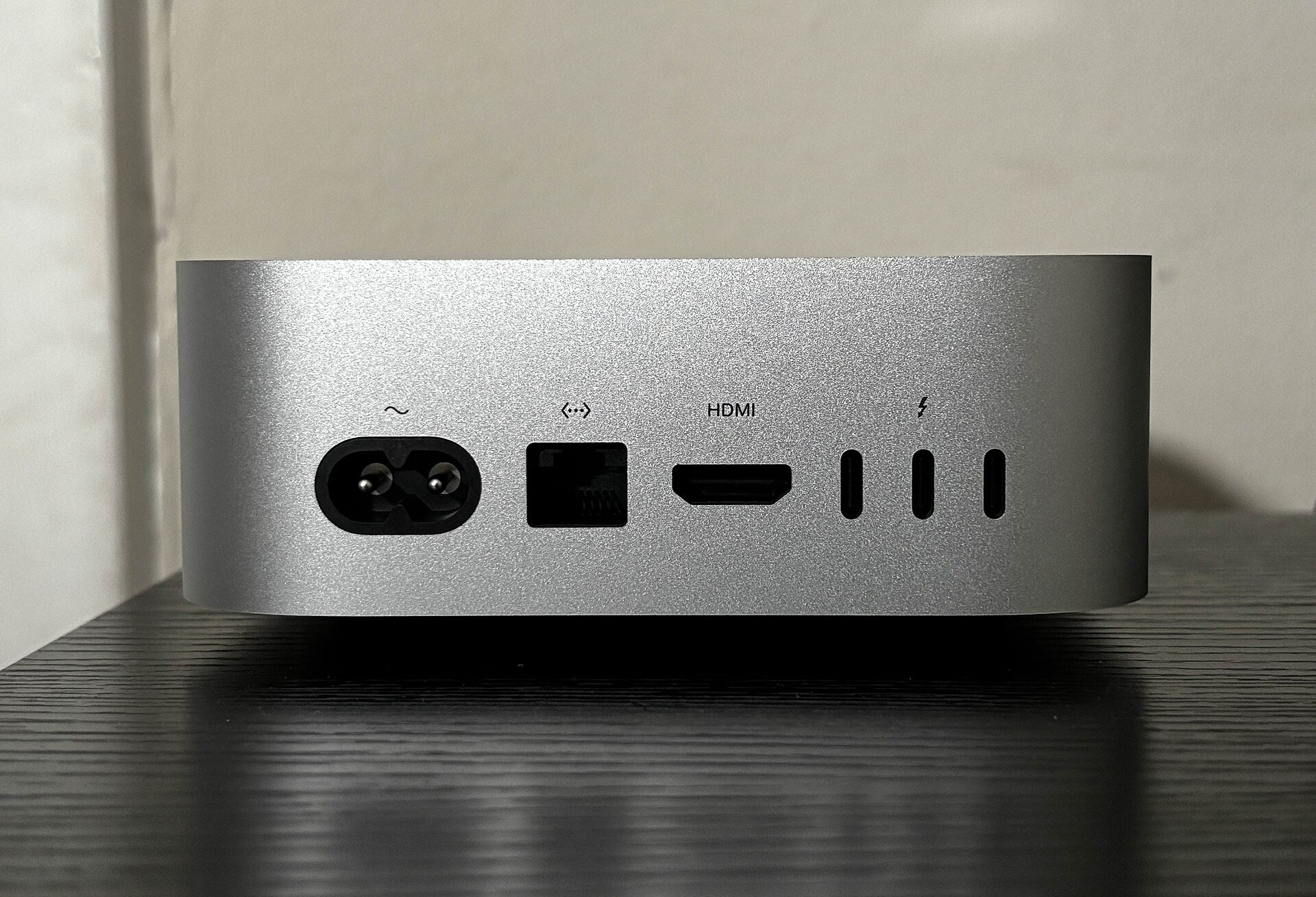
Each instance is a physical Mac mini, with its processor, memory, and local storage kept exclusive to your order. Both the macOS graphical interface and command line are available.
Not a virtual machine: you get a dedicated Apple Silicon Mac mini.
Choose daily, weekly, monthly, or quarterly billing, with separate original pricing for each term.
Available in Singapore, Japan (Tokyo), South Korea (Seoul), Hong Kong, and the US West.
$ gmini reserve --region tokyo
Resolving GlobeMini M4 16...
resource.model Mac mini M4
resource.mode DEDICATED
memory 16GB
storage 256GB SSD
region JP / TOKYO
billing $21 / DAY
✓ Host assigned
✓ Credentials sealed
ready
These logos indicate common tool compatibility scenarios only and do not imply a commercial partnership between G-Mini and the relevant projects or vendors.
First confirm which physical device will be delivered, where it is located, and which billing term applies. Then decide whether it fits your current build, experiment, or remote collaboration workload.
Each instance is a physical Mac mini, with its processor, memory, and local storage kept exclusive to your order. Both the macOS graphical interface and command line are available.
Daily, weekly, monthly, and quarterly terms are priced separately. Check the amount for your selected term directly instead of deriving weekly, monthly, or quarterly pricing from the daily rate.
Choose from Singapore, Japan (Tokyo), South Korea (Seoul), Hong Kong, and the US West. Live availability is returned in the console.
Keep a reproducible Xcode environment for automated builds, reducing interruptions caused by switching versions, reinstalling dependencies, and tracking artifacts manually. Your team remains responsible for managing development credentials and code-signing materials with least privilege.
12:4208:1602:0878%The build lead is checking the signing configuration and archive results.
Dedicated physical Apple Silicon hosts are suited to long-running tasks, dependency isolation, and remote collaboration. Pin your model directories, data directories, Python environment, and experiment parameters so the same runtime conditions can be rebuilt when team members or project phases change.
from mlx_lm import load, generate

model, tokenizer = load("./models/base")
prompt = "summarize build logs"
result = generate(model, tokenizer, prompt)

[epoch 08] loss 1.842
[checkpoint] saved
[memory] 64%
[status] experiment continuesWhen connecting a cloud Mac to your existing CI/CD pipeline, plan runner labels, cache directories, build concurrency, and failure-log retention first. The physical host runs the macOS workload while repository access remains limited to the minimum required scope.
REPOSITORY
Repository trigger
push / release
Use least-privilege credentials
MAC NODE
Cloud execution
m4-tokyo
Xcode build
ARTIFACT
Artifact upload
IPA / logs
test reports
macos-m4-tokyo
Cacherestored
Logsretained
Your region determines where the physical host is delivered. Before choosing, test connectivity based on the primary users’ locations, code-hosting service regions, and local network conditions. All regions operate continuously 365 days a year.
Both available models cover all five regions.
Both are dedicated physical Mac mini M4 hosts available in Singapore, Japan (Tokyo), South Korea (Seoul), Hong Kong, and the US West. The amounts below are the original USD prices for each billing term.
Ideal for standard iOS builds, lightweight runners, dependency validation, and short-term remote development.
| Term | Price |
|---|---|
| Day | $21 |
| Week | $56.6 |
| Month | $104.9 |
| Quarter | $285.3 |
AvailableAll five regions can be selected; live availability is returned in the console.
Ideal for larger Xcode workspaces, parallel builds, continuously running runners, and MLX experiments.
| Term | Price |
|---|---|
| Day | $40.1 |
| Week | $108.3 |
| Month | $200.6 |
| Quarter | $545.6 |
AvailableAll five regions can be selected; live availability is returned in the console.
Your workload, region, and billing term directly affect your configuration choice. Remote-access tools, development credentials, and code-signing materials determine whether you can start working smoothly after delivery.
When you submit an order, the actually available gateway is determined by the console. The site supports only the two payment methods below and offers no other payment channels.
The model, term, and add-ons are priced in the USD amount shown on the order.
These four questions cover instance type, billing terms, region selection, and self-hosted runner integration. Continue to the support guides for connection steps and environment configuration.
No. Each instance is a dedicated physical Mac mini, with its processor, memory, and local storage kept exclusive to your order.
You can rent by the day, week, month, or quarter. Each term has its own original price, so check the amount shown on the plan page before selecting.
Choose based on the primary users’ locations, code-hosting service regions, and actual network test results. Available locations include Singapore, Japan (Tokyo), South Korea (Seoul), Hong Kong, and the US West.
Yes, for macOS CI workflows that require a dedicated Apple Silicon environment. Before integration, plan runner labels, repository credentials, cache directories, artifact uploads, and failure-log retention.
Choose GlobeMini M4 16 or GlobeMini M4 24, then select Singapore, Japan (Tokyo), South Korea (Seoul), Hong Kong, or the US West. Before submitting, you can review the full price and connection requirements.